10.1 i-Trigger Overview
This section explains an overview of i-Trigger.
10.1.1 i-Trigger Features#
i-Trigger is an Expansion Custom Package for SpeeDBee Synapse to monitor a short-time breakdown in manufacturing.
It serves a function similar to a dashboard camera in the facility. This allows you, when an error occurs in the production line, to automatically extract the numerical data before and after the error occurred and the video data captured by the camera based on the data collected by the various types of components, and save them in a specified file format.

Processing Overview
① Collect data from PLC with interval reference
Get the data for trigger detection and recording from the PLC.
② Get data from any device
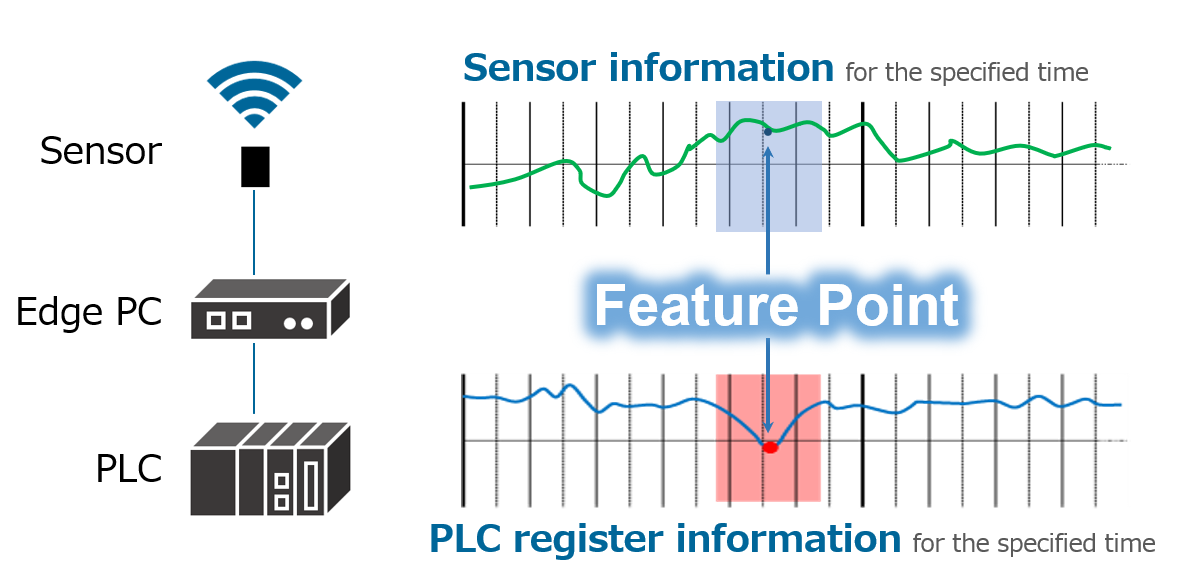
In addition to the PLC, data collected from each component can also be used for trigger detection in the same way as the PLC.
③ Trigger detection
When the collected data meets the preset conditions, the extraction process is executed as a trigger detection.
④ Extract any device data
After detecting a trigger, data from the target device (data collected by a network camera or PLC) is extracted according to the preset record range. You can view the extracted data in a dedicated Video Viewer.
Dedicated Video Viewer
i-Trigger is configured with a dedicated Video Viewer for viewing extracted data. As shown in the figure below, it features the ability to simultaneously play back video and collected data in the event of a failure.
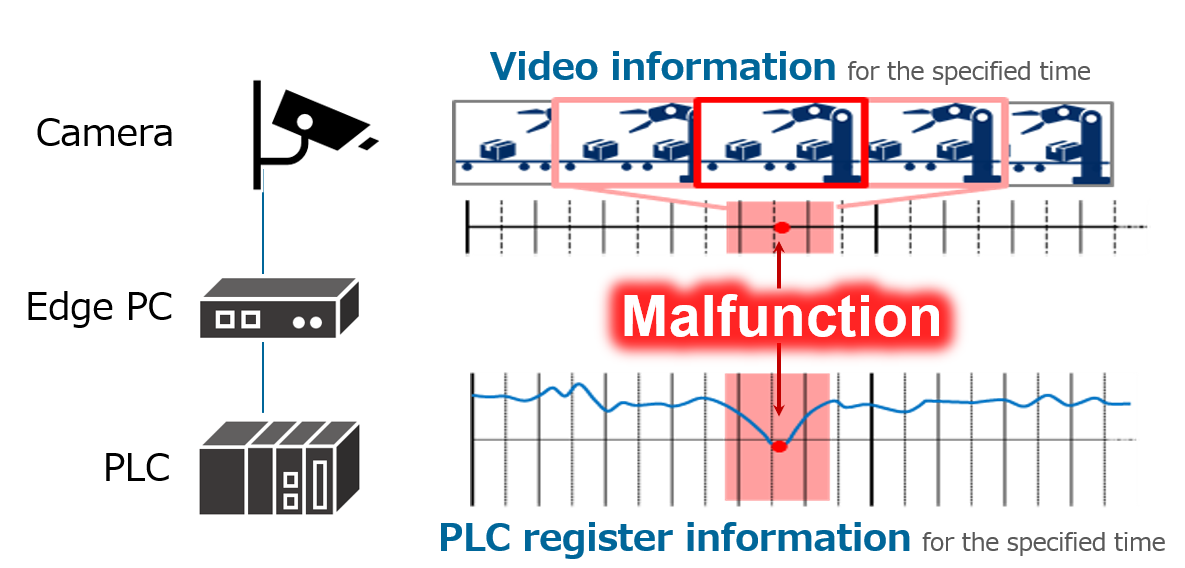
The video and the various data collected can be visualized at the same time, which can be useful in analyzing the relationship between data and events.
10.1.2 Points to keep in mind when using i-Trigger#
Since i-Trigger is an Expansion Custom Package for SpeeDBee Synapse, you will need to prepare SpeeDBee Synapse itself to use it. Therefore, it operates in the same environment as SpeeDBee Synapse. For more information, see Execution Environment.