4.11 System Components
This section explains each system component. Unlike other components, system components cannot have multiple instances. You can configure and use the components arranged in the system panel.
4.11.1 DB Query Service#
This component accepts queries to the data collected in SpeeDBee Synapse. No data collection or data referencing is performed by this component. This component is used to process SQL from external sources. For more information, see DB Query (SQL).
Before you execute a query, we recommend that you read through the notes on using the DB query service.
4.11.1.1 Basic Information#
The basic information on the DB query service is as follows:
| Item | Description |
|---|---|
| Base name | DB query service |
| Description | This component accepts queries to the database. Once started, you can publish queries to the DB over HTTP. For more information on DB queries, see DB Query (SQL). There is only one setting for this component in SpeeDBee Synapse. For details about the error information to be output, refer to Error Code List. |
| Consumption point | 0 |
| Port | Input: 0 Output: 0 |
4.11.1.2 Configuration Items#
The DB query service configuration items are as follows:
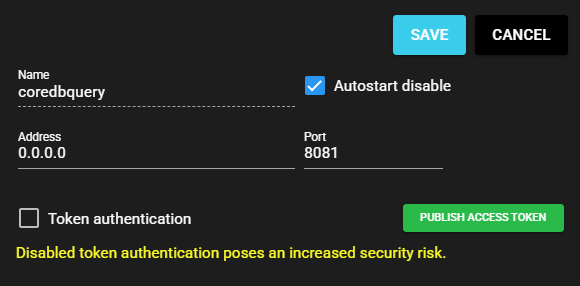
| Item | Description |
|---|---|
| Name | Component name (coredbquery fixed) |
| Autostart disable | Select ON to disable the Autostart of the component. |
| Address | You can input the IP address of the receiving side, and if it is 0.0.0.0, communication from all networks is allowed. Note: In some environments, this setting cannot be changed/edited. |
| Port | You can input the port that accepts DB queries. Note: In some environments, this setting cannot be changed/edited. |
| Token authentication | You can select an access token for authentication when making Web API requests. |
| Publish access token | Displays the Publish Access Token screen. Note: For more information on the access token screen, see Publish Access Token. |
4.11.2 Core Internal#
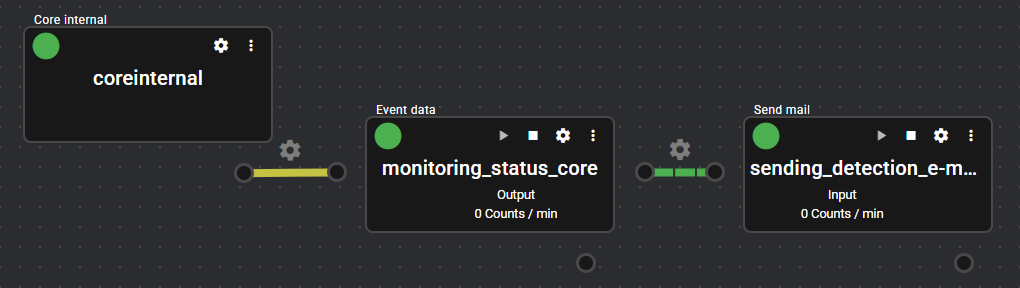
This component manages the internal status in SpeeDBee Synapse. The user cannot start or stop this component. This component is a special component that starts automatically and runs constantly.
If data loss occurs due to a power interruption in Operating machine, the detected error can be notified by e-mail. For detailed instructions, see Troubleshoot.
4.11.2.1 Basic Information#
The basic information on the core internal is as follows:
| Item | Description |
|---|---|
| Base name | Core internal |
| Description | This component performs processes that need to be executed periodically in the core. There is only one of this component in SpeeDBee Synapse. This component cannot be controlled by changing its settings or stopping it. For details about the error information to be output, refer to Error Code List. |
| Consumption point | 0 |
| Port | Input: 0 Output: 0 |
4.11.2.2 Configuration Items#
The core internal is a special component that cannot be configured.
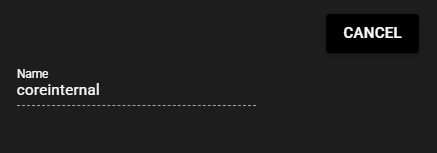
| Item | Description |
|---|---|
| Name | Component name (coreinternal fixed) |
4.11.3 Error Manager#
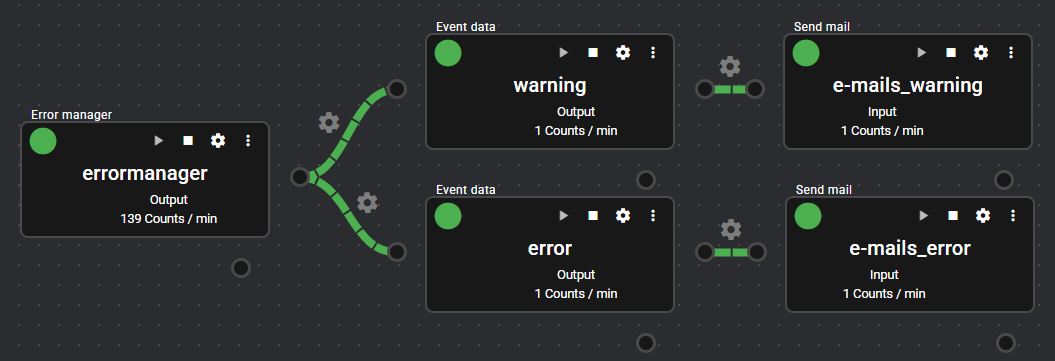
This component can detect errors for all components that occur in SpeeDBee Synapse.
Detected errors can be notified by e-mail. For detailed instructions, see Troubleshoot.
4.11.3.1 Basic Information#
The basic information on the error manager is as follows:
| Item | Description |
|---|---|
| Base name | Error manager |
| Description | This component detects all errors that occur in SpeeDBee Synapse. There is only one of this component in SpeeDBee Synapse. For details about the error information to be output, refer to Error Code List. |
| Consumption point | 0 |
| Port | Input: 0 Output: 1 |
4.11.3.2 Configuration Items#
The error manager configuration items are as follows:
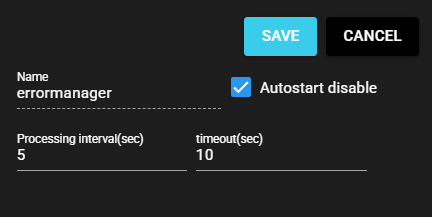
| Item | Description |
|---|---|
| Name | Component name (errormanager fixed) |
| Autostart disable | Select ON to disable the Autostart of the component. |
| Processing interval | Processing interval to collect error information (seconds) |
| Timeout | Timeout period for processing to collect error information (seconds) |
4.11.3.3 Output Data Items#
The error manager outputs the following data:
| Item | Column Name | Data Type | Description |
|---|---|---|---|
| Standby components | standby_component_count | uint16 | Change in the number of standby components from the last time error information was collected to the current time |
| Running components | running_component_count | uint16 | Change in the number of running components from the last time error information was collected to the current time |
| Warning components | warning_component_count | uint16 | Change in the number of components running in a warning state from the last time error information was collected to the current time |
| Error components | error_component_count | uint16 | Change in the number of components stopped in an error state from the last time error information was collected to the current time |
| Warning component name list | warning_components | string | Change in the list of names (comma separated) of components running in a warning state from the last time error information was collected to the current time |
| Error component name list | error_components | string | Change in the list of names (comma separated) of components stopped in an error state from the last time error information was collected to the current time |
| Latest standby components | latest_standby_component_count | uint32 | Number of standby components when error information was collected |
| Latest running components | latest_running_component_count | uint32 | Number of running components when error information was collected |
| Latest warning components | latest_warning_component_count | uint32 | Number of components running in a warning state when error information was collected |
| Latest error components | latest_error_component_count | uint32 | Number of components stopped in an error state when error information was collected |
| Latest warning component name list | latest_warning_components | string | List of names of components running in a warning state when error information was collected (comma separated) |
| Latest error component name list | latest_error_components | string | List of names of components stopped in an error state when error information was collected (comma separated) |
4.11.4 Event Data Manager#
This component is a special component that performs, for example, periodic deletion of event data recorded by i-Trigger. If you do not use i-Trigger, you do not need to start it.
4.11.4.1 Basic Information#
The basic information on the event data manager is as follows:
| Item | Description |
|---|---|
| Base name | Event data manager |
| Description | It performs data management of event data. It periodically deletes various types of data saved by the Event Recorder. It also handles backup and restore of the internal database. There is only one of this component in SpeeDBee Synapse. For details about the error information to be output, refer to Error Code List. |
| Consumption point | 0 |
| Port | Input: 0 Output: 0 |
4.11.4.2 Configuration Items#
The event data manager configuration items are as follows:
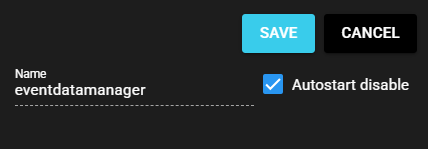
| Item | Description |
|---|---|
| Name | Component name (eventdatamanager fixed) |
| Autostart disable | Select ON to disable the Autostart of the component. |
4.11.4.3 Data Management Operational Specifications#
The event data manager performs data management as follows. Please refer to this section only if you want to review the data management of the event data manager.
Periodic deletion of data saved by the Event Recorder
The Event Recorder configuration includes a Store Hour configuration item. This allows you to delete data (event data JSON files, video files) saved by the Event Recorder according to the specified Store Hour.
- If you change the Store Hour in the middle of the process, the deletion will be based on the most recent Store Hour.
- Even if you delete an instance of the Event Recorder, as long as the event data manager is running, it will perform the deletion of data that has exceeded the Store Hour.
Backup and restore of internal database files for Video Viewer
The Event Recorder maintains data in an internal database when events are recorded. This database is dedicated to i-Trigger. This database is backed up periodically and restored in case of corruption.
- The backup is processed on a daily basis (within 10 minutes of date/time transition).
- In case of corruption, the database is restored from the database of one day ago, so the latest data will be lost.
- When the disk is full, both backup and restore will be in error.